
An expense register in a few seconds
You add a transaction by typing or saying: “Biedronka 84.20”. The app suggests names and matches the category.
MyBudgetHub
Loading the app…
Personal finance, made simple
MyBudgetHub shows how much you really spend, how much you can save and when you'll reach your goals. No spreadsheets and no juggling notes.
No credit card · Cancel anytime · Export your data to CSV
Already have an account? Sign in
From everyday shopping to planning a loan overpayment — in one app that works on your computer and phone.
You add a transaction by typing or saying: “Biedronka 84.20”. The app suggests names and matches the category.
Say what you bought — speech recognition turns it into a ready transaction to review.
Load your history from a Millennium account in a single file. Duplicates are skipped and categories matched automatically.
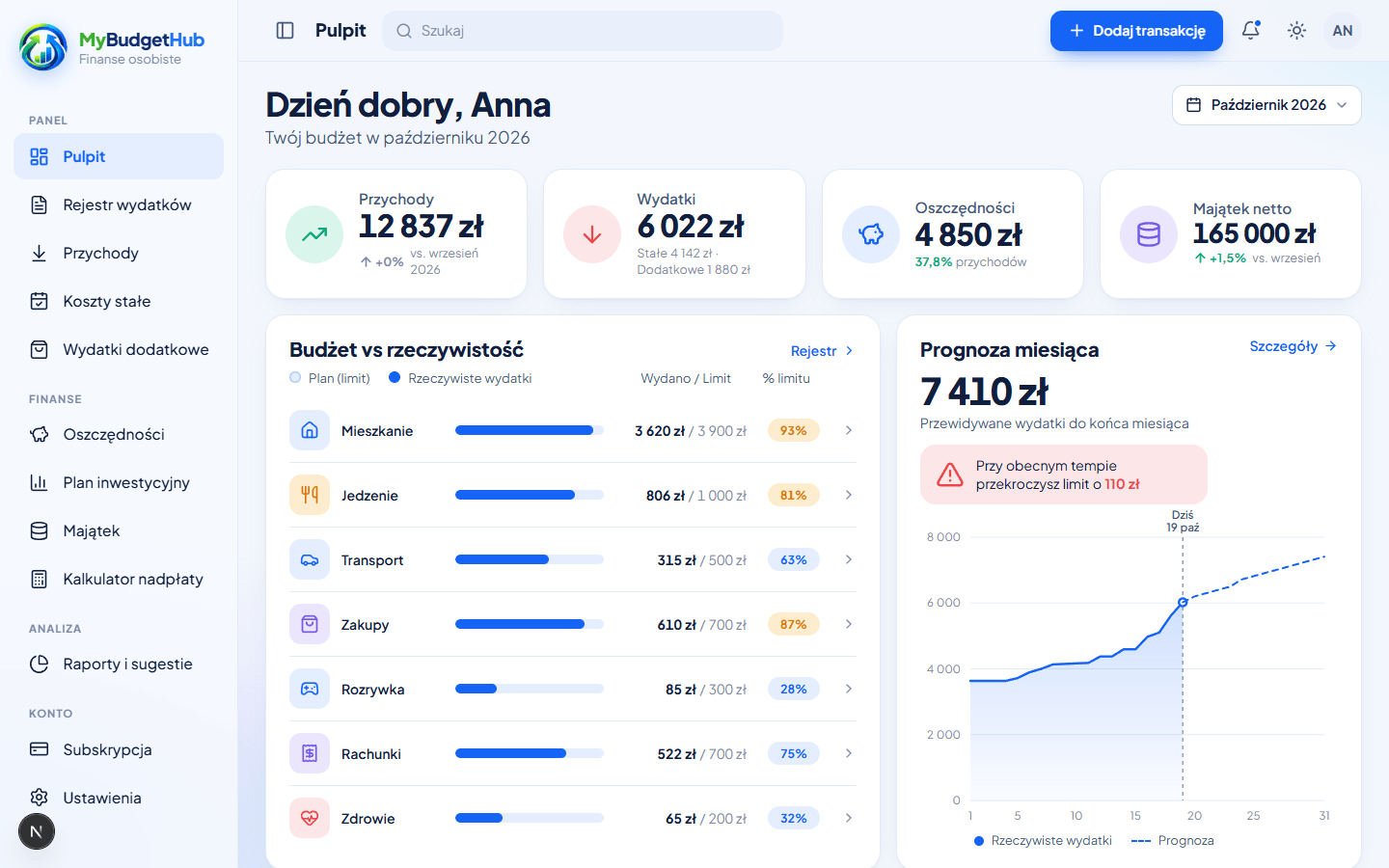
The dashboard shows how much you planned, how much you spent and where you exceed the limits — in the current month and in the whole year.
Installments, subscriptions and salaries you plan once. The app keeps track of which items are already paid.
Savings in zlotys and euro (NBP selling rate), goals with progress and net worth over time.
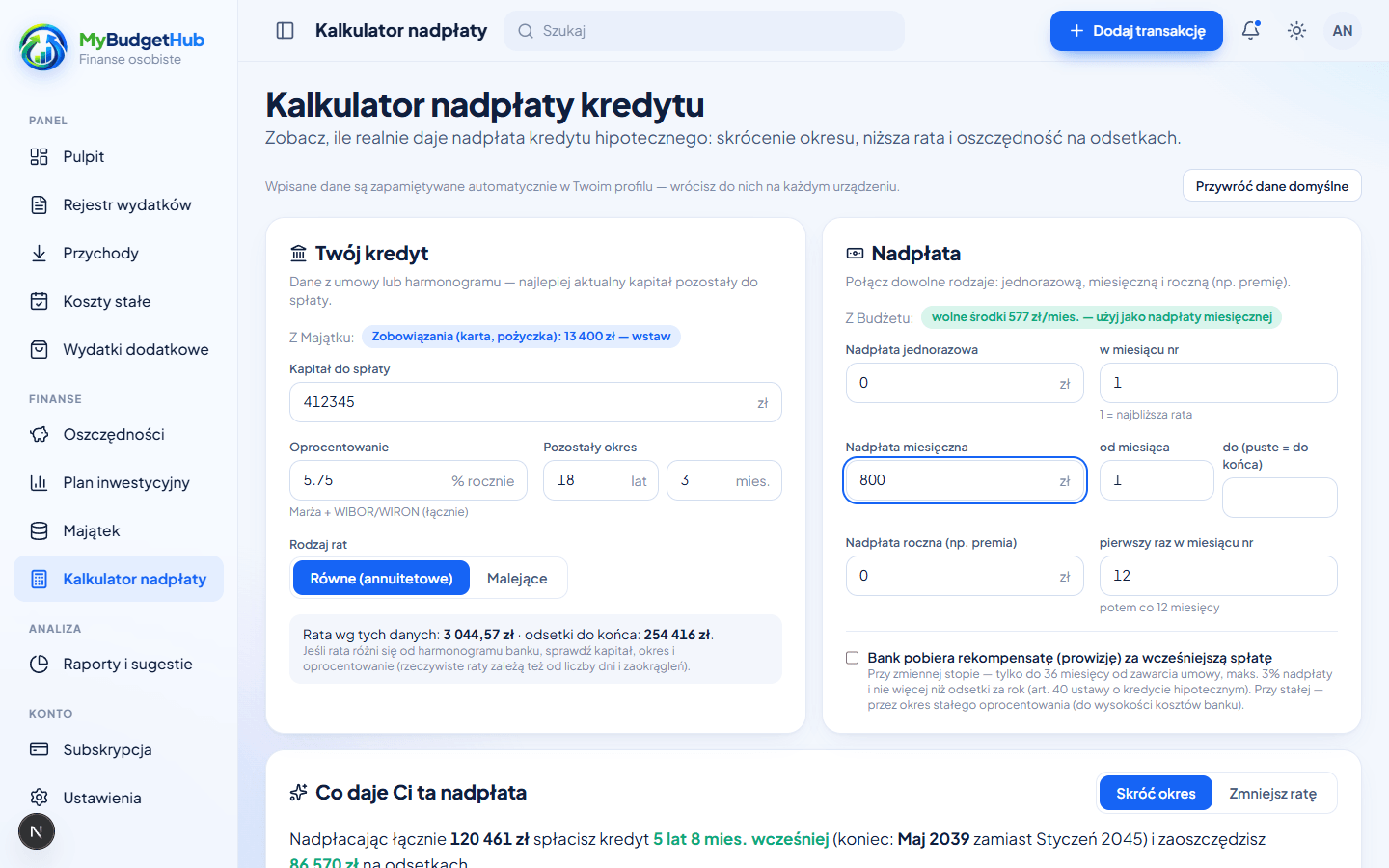
Check how much interest and how many months you'll save by overpaying your mortgage — split into shortening the term or a lower installment.
Add household members as Members: each has their own account and password, and everyone sees the same budget.
The month's balance, budget execution, biggest categories and upcoming payments. Instead of a dozen spreadsheets — one screen that answers the question “how much do I have left?”.
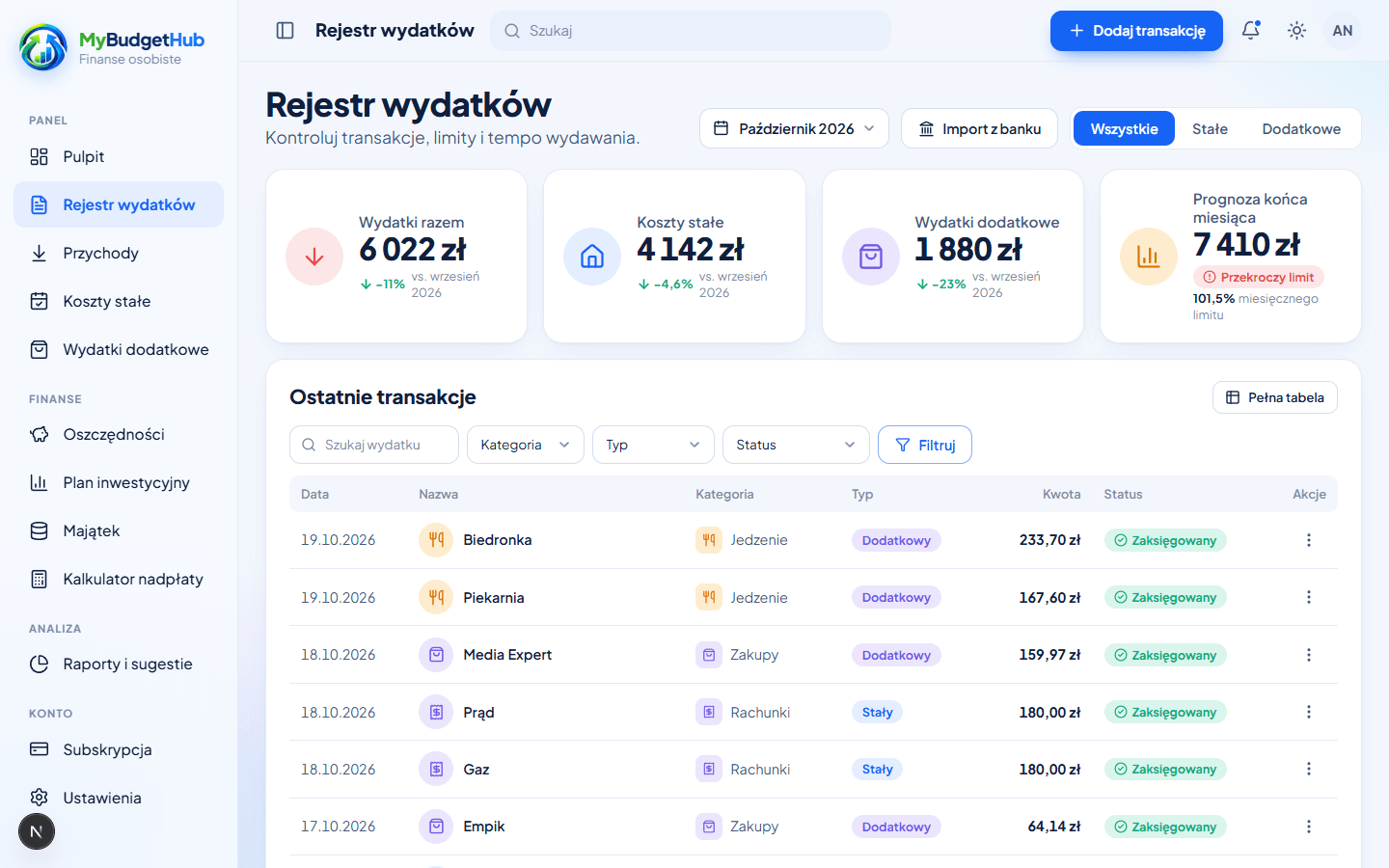
Quick adding, editing in a full table, filters by category and status and a summary above the list. You can export your data to CSV whenever you want.
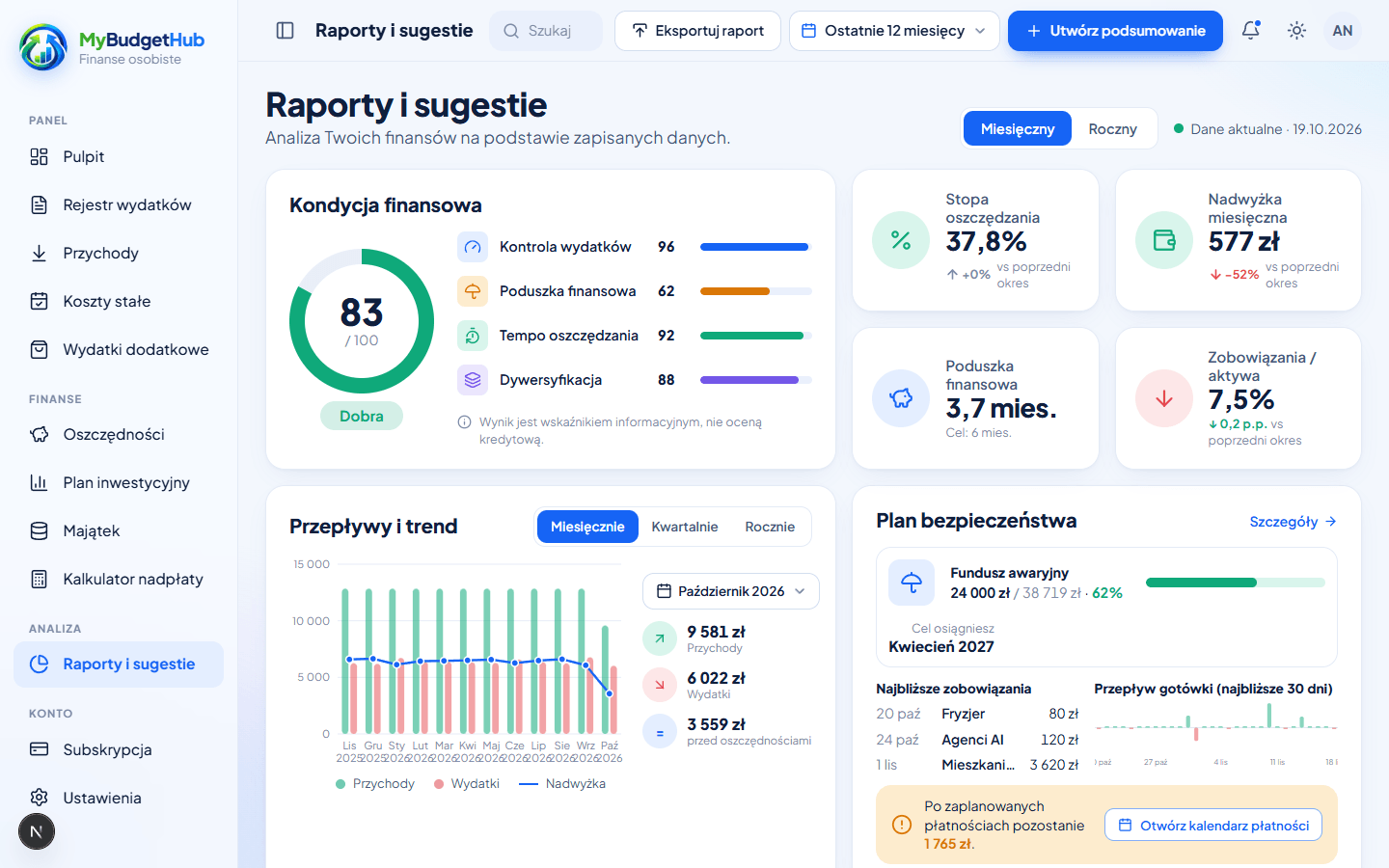
See spending trends, compare months and get specific suggestions on where you can save more. You switch the view from a month to the whole year with one click.
Enter the balance, interest rate and installment — the calculator will show a schedule with overpayments and the real benefit. Your data is remembered, so you don't enter it every time.
An e-mail address and a password are enough. You can load sample data right away to see how it works.
Add your income, fixed costs and category limits or import your history from the bank.
Record your spending as you go, check the reports and pursue your goals with the loan overpayment calculator.
On your computer and in your pocket. The app works in the browser, has a dark theme and installs on your phone's home screen — no app store needed.
You pay per budget, not per user. Prices are gross.
For one person
290 zł/ year
24.17 zł per month — you save 17%
Up to 1 user in a single budget
A shared budget for household members
470 zł/ year
39.17 zł per month — you save 20%
Up to 5 users in a single budget
Every new account starts with 14 days of full access — no credit card needed. After the trial you choose a plan or stay in read-only mode (with the option to export your data).
No. You create an account with just an e-mail address, and the trial period runs without entering any payment details.
The account switches to read-only mode: you can still see your data and export it to CSV, but you can't add new entries. After you buy a plan everything goes back to normal, nothing is lost.
We don't connect to your bank automatically — your bank login details never reach us. You load your transaction history from a CSV file (we support the Millennium format) or add entries manually or by voice.
Yes. The budget Administrator creates accounts for household members (Members) — each signs in with their own password and sees the same budget. The number of accounts depends on the plan.
You cancel the subscription yourself in the Subscription tab — access lasts until the end of the paid period. You can export your data to CSV beforehand.
Yes. MyBudgetHub works in the browser on any device and can be installed on your phone's home screen like a regular app.
Access to data is protected at the database level — each account sees only its own budget. You'll find details in the Privacy Policy.
Create an account and use the full version for 14 days. No credit card needed.
Create a free accountAlready have an account? Sign in